First, the cause
Google uses mobile crawler
Blogger redirects to the ?m=1 page
However, the ?m=1 page has as canonical the page without ?m=1
But the page without ?m=1 always redirects to the ?m=1 page
There is an infinite redirect and you get "Redirect error"
A page can only be indexed when, rarely, Google uses the desktop crawler.
Solution
You need to overwrite the canonical URL to something that does not redirect, like the ?m=1 page.
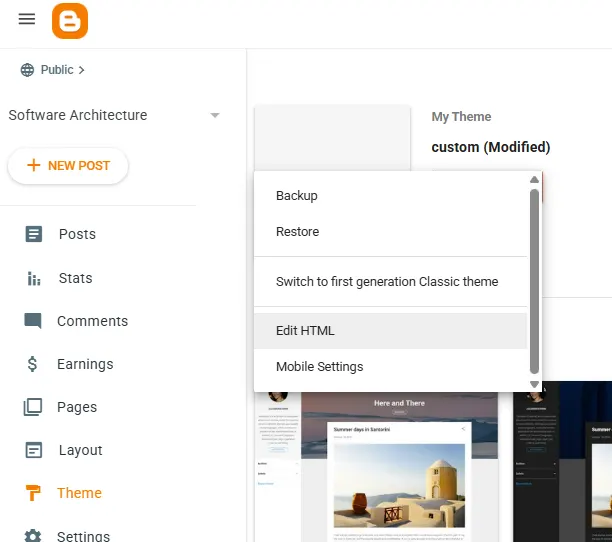
To do this, go in the Blogger;s theme and edit it:
This works with modern themes that has canonical and have this ?m=1 problem.
For the Classic theme you should not have this problem.
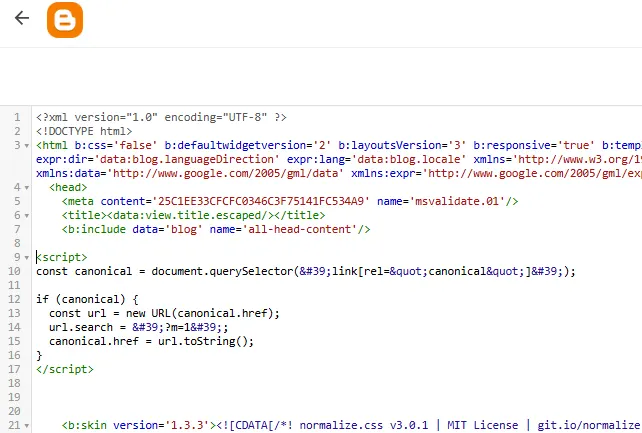
Under the <head> section, insert the following code, after the all-head-content section:
<script>
const canonical = document.querySelector('link[rel="canonical"]');
if (canonical) {
const url = new URL(canonical.href);
url.search = '?m=1';
canonical.href = url.toString();
}
</script>
It should look like this:
Test the solution
First, save the modified theme
Load a post page (with more complex URL)
Check that the page still loads
Go to Google Search Console
Inspect URL
Paste that post page
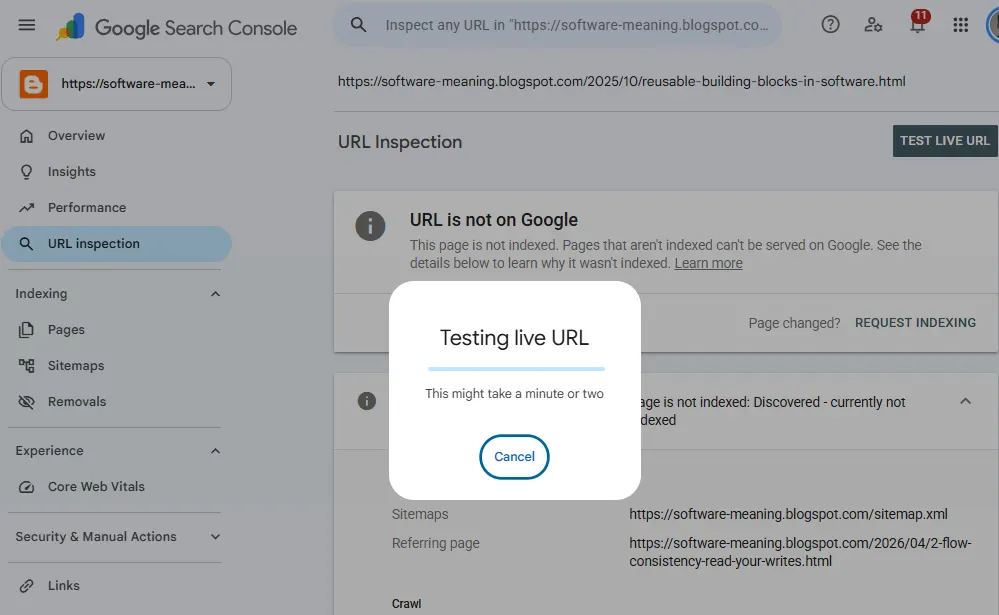
Click: "TEST LIVE URL"
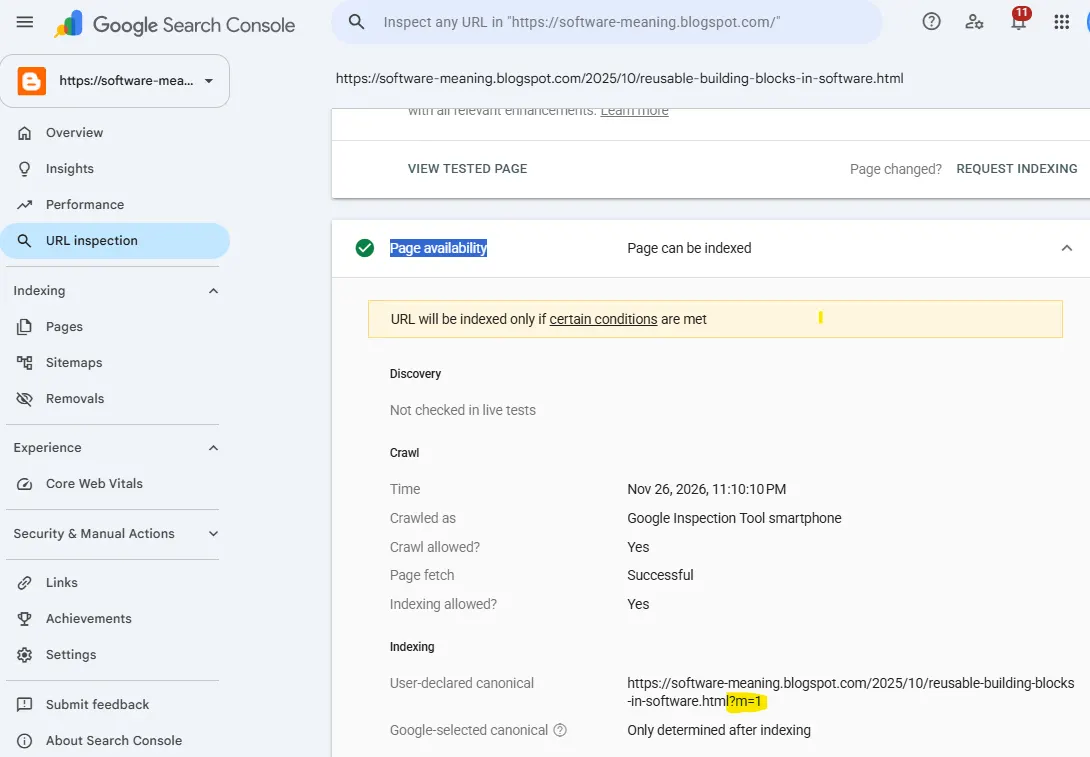
Expand "Page availability"
Check that the Canonical page has the "?m=1" at the end of the URL
Click "REQEST INDEXING" to speed up the process
In the next days, check if page appears with "?m=1" in the Google search, using the site: search.
Note that in Search Console you may see the pages indexed after around 2 weeks.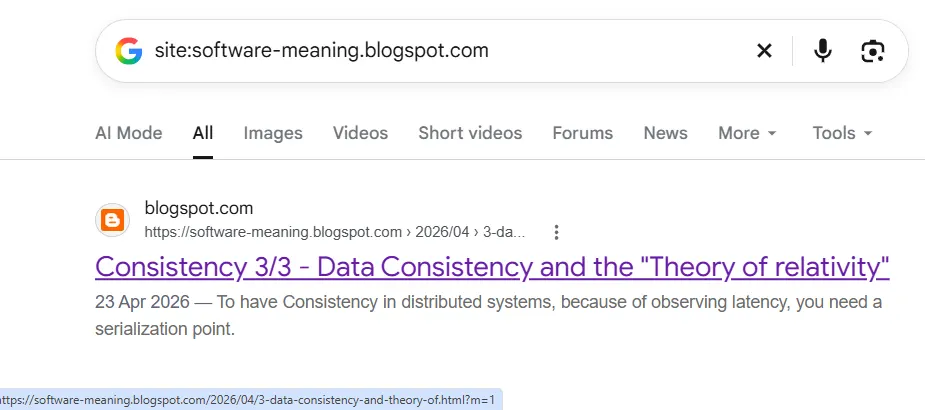
This is enough
Alternative solution with personal domain
BTW, I am strongly recommend to buy a personal domain, and copy all articles with the exact same path.
Then you can set the canonical to that domain in Blogspot, using a slightly modified script, like:
<script>
const canonical = document.querySelector('link[rel="canonical"]');
if (canonical) {
const url = new URL(canonical.href);
url.hostname = 'philosophy.mihvoi.org';
canonical.href = url.toString();
}
</script>
0 comments
Comments are closed for this article.